V2 Electives
After talking to brian, I realised it would be extremely hard to get lecturers to write all of that content, and he suggested I run it like wikipedia, where people can edit courses themselves and suggest changes.
So I did some research around wikipedia and found that there was a lot of friction involved with editing – as there should be to protect from griefing. It was also intimidating for a lot of people to suggest edits when they felt like they weren’t subject masters.
There’s also a big issue with course content, which is that someone's experience with a course is very subjective. If someone suggested the course description be “the course was good because it taught students how to use modelling and prototyping tools” another student could say “The course was all about understanding ergonomics of coffee machines” – they’re both right! They had different experiences with the course, and neither of them is wrong.
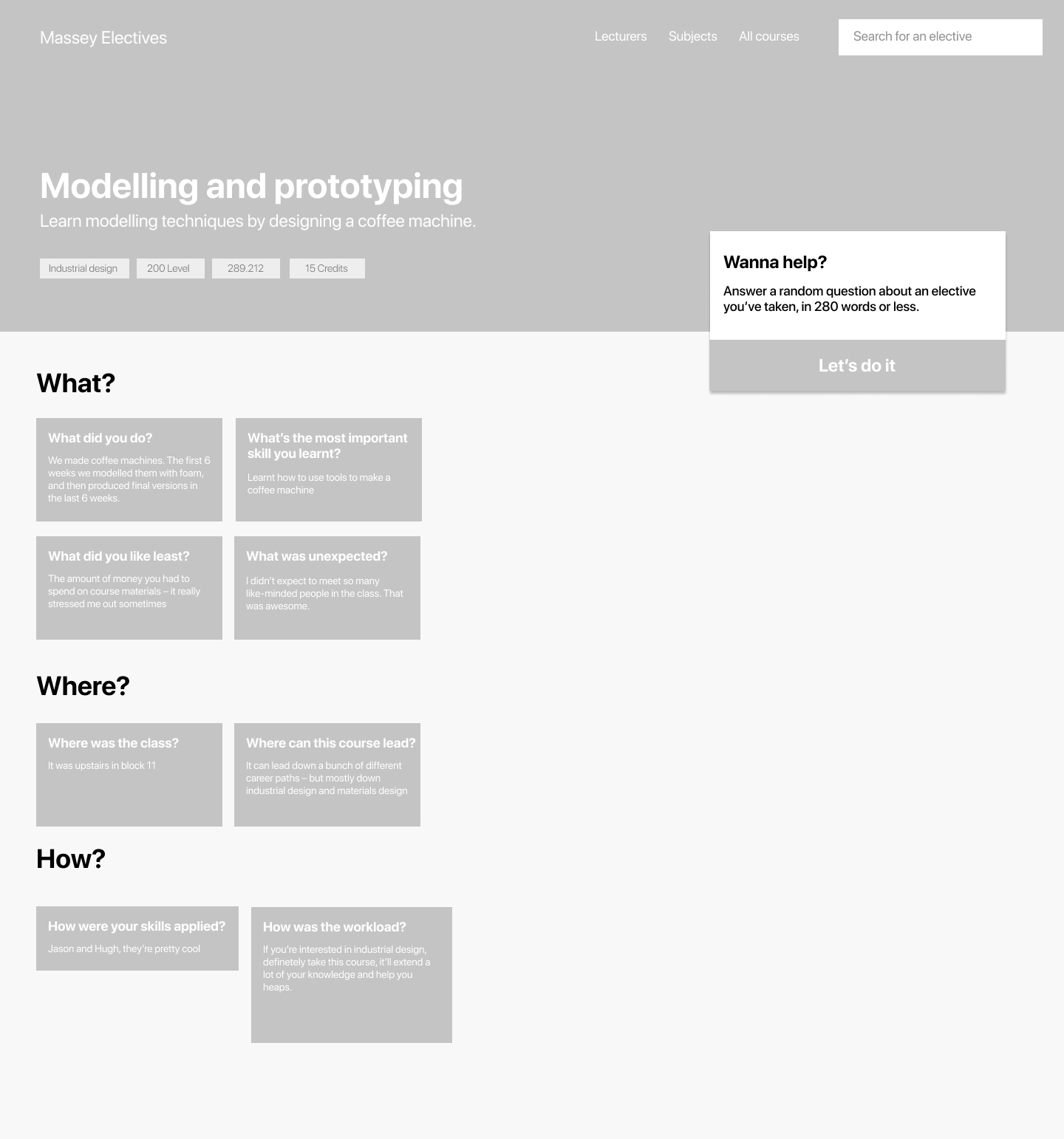
So I went back to the drawing board, and thought, what would this look like if there was no lecturer input at all? So I took it back to the basics. Who, What, Where, When, Why, How. I started thinking of sub-questions that students might ask other students: Who teaches this course? Why should someone care about this course? What type of previous knowledge is required for the course?
I started thinking of what that might look like on a page – questions and answers.
I was thinking of having students ask questions, and other students could up vote, and reply to comments – similar to functionality on reddit. However, I identified a few potential issues with this approach:
– Students are using this site mostly at the start and end of the year. If a question is asked at the end of the year, it might not be answered until a year later – leaving a ‘ghost-town’ feel to the website where there’s a bunch of unanswered questions.
– Without reaching critical mass, questions might not even be asked in the first place
So I thought it would be good to have questions pre-made, and ready for students who wanted to ask them, and not display a bunch of unanswered questions on each page.
In this design, students can browse
I got feedback from students that this was harder to browse though than the last design and wasn’t as easy to find information that they were looking for.
I did however learn that giving a prompt question to students would mean they were more likely to write a meaningful comment – especially if the process was gamified or randomised.
Pros:
- Lower barrier to upload content – the question is like a prompt rather than writing a random comment
Cons:
- Worse information architecture and content – hard to emphasise important questions or topics without moderation
- Not easily scannable by students looking for certain information
- If no students had answered questions, the pages would be completely blank – AKA useless


